Caffeinated Notes: A Digital Steno Pad
Since I started writing code in the early 80s I’ve always had a notebook with me. In high school and college it was a spiral notebook. I’d sit in the cafeteria between classes with a cup of coffee and literally write code by hand to transcribe and edit when I got home. At the office it was a steno pad. Once I wasn’t in school, it was just the steno pad. I used to buy them in bulk at Costco.
The steno pad stuck around for decades. Smaller than a spiral notebook, the top spiral meant flipping pages didn’t cover my keyboard or mouse. No organization system, no hierarchy, no folders. Just notes, most recent at the bottom, flip through to find what you need. It worked. I still have a desk drawer with half a dozen steno pads in it.
That’s what I wanted to build.
The Search for Something That Just Works
I used Synology Notestation for years. It wasn’t terrible on mobile, it worked, search was a bit buried, but muscle memory solved that problem. It was okay on the desktop, in a utilitarian sort of way. It even had built-in tasks, which I liked. The problem was authentication. Every time I wanted to clip something from my phone or browser extension, it had lost its connection to my Synology. Consistently. Maddening.
So I found Joplin. Joplin is genuinely good software and I ran my own Joplin server for a while. The mobile app was solid. For clipping from my phone I used Markdownr, which wasn’t perfect, but worked well enough.
But Joplin has problems I couldn’t get past.
The desktop application is Electron. If you use it you know this immediately. It feels like a browser window pretending to be an app. The four-panel layout of Notebooks, Notes list, Editor, and Preview takes up a significant amount of screen real estate and there’s no clean way to just have a single note open in front of you without the entire scaffolding around it. I know I could have tweaked it with third-party plugins, but that always felt fragile. One Joplin update away from everything breaking, and a maintenance burden I just didn’t want to take on.
The bigger problem was markdown. I have nothing against markdown. I use it constantly for my Hugo sites and Gitea. But markdown as the primary note-taking paradigm failed the WAT (Wife Acceptance Test). She tried it, hit a wall of asterisks and hash symbols, and went back to whatever she was using before. If the app doesn’t pass the wife acceptance test it doesn’t become a household app, and I wanted something we could both use.
Notestation had the same problem in a different way. Every login prompt on mobile was a conversation I didn’t want to have.
What I Actually Wanted
I wanted a notes app that worked like my steno pad. Open it, write something, close it. Search when you need to find something. No vaults, no databases, no plugins, no markdown required.
I wanted it to sync between my phone, my tablet, and my desktop without me having to think about it. Notestation failed on authentication. Joplin required Markdownr as middleware for mobile clipping.
I wanted a real desktop app. Not Electron, not a mobile UI scaled up. A native application that felt like desktop software.
And critically, it had to pass the WAT.
So I built StenoPad, which eventually became Caffeinated Notes when I started building the rest of the suite.
What It Does
Caffeinated Notes is a rich text notes app. Not markdown, though it handles markdown gracefully. Paste markdown from the clipboard and it converts automatically. Share a markdown file to the mobile app and it converts on import. If you’re coming from Joplin you can import your .jex files directly. Coming from Synology Notestation, .nsx files import cleanly too. Export to markdown when you need to, which is how I get formatted content into Hugo and Gitea without any cleanup.
Notes are organized simply. Search finds anything instantly. The mobile app has a built-in web clipper. Share a URL to it, and it fetches the page content automatically, no Markdownr, no browser extension, no extra steps.
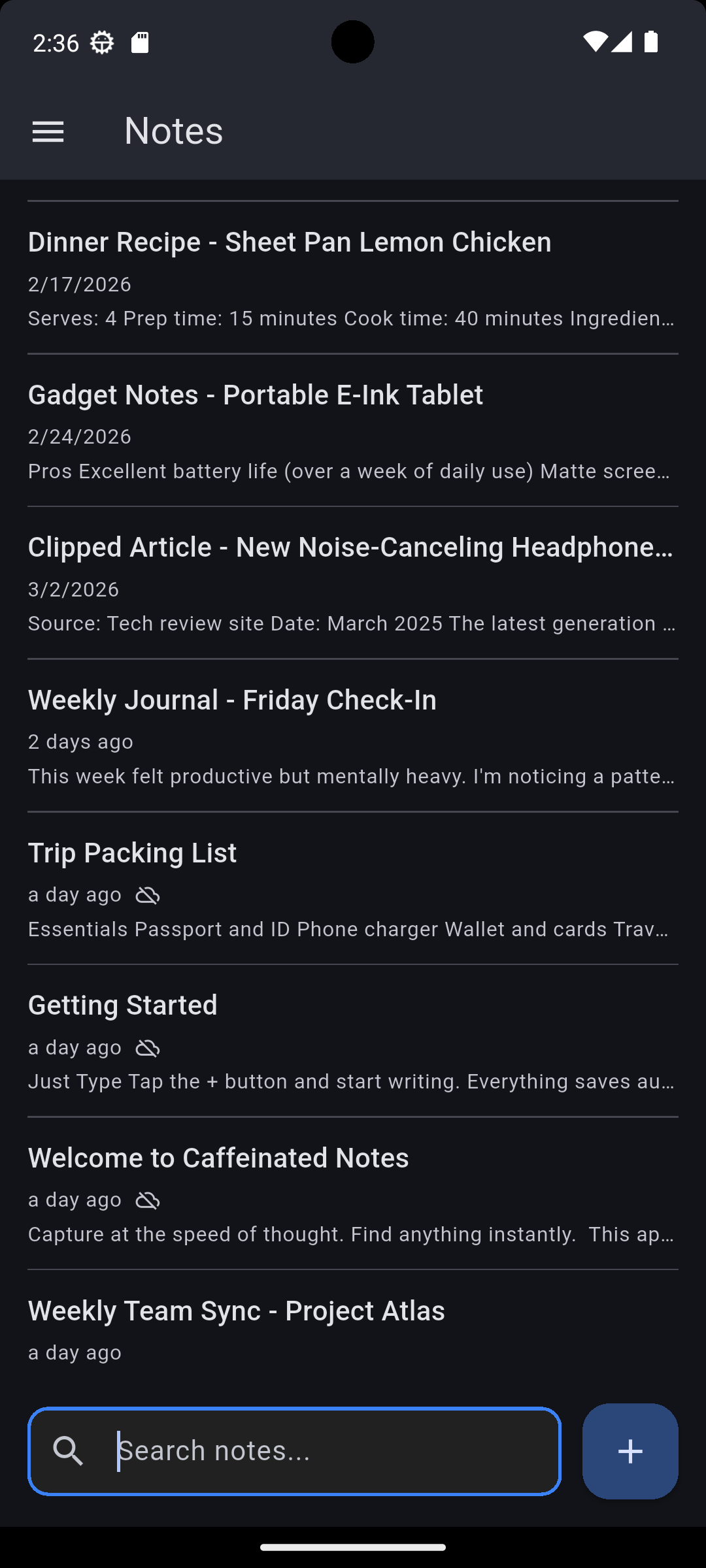
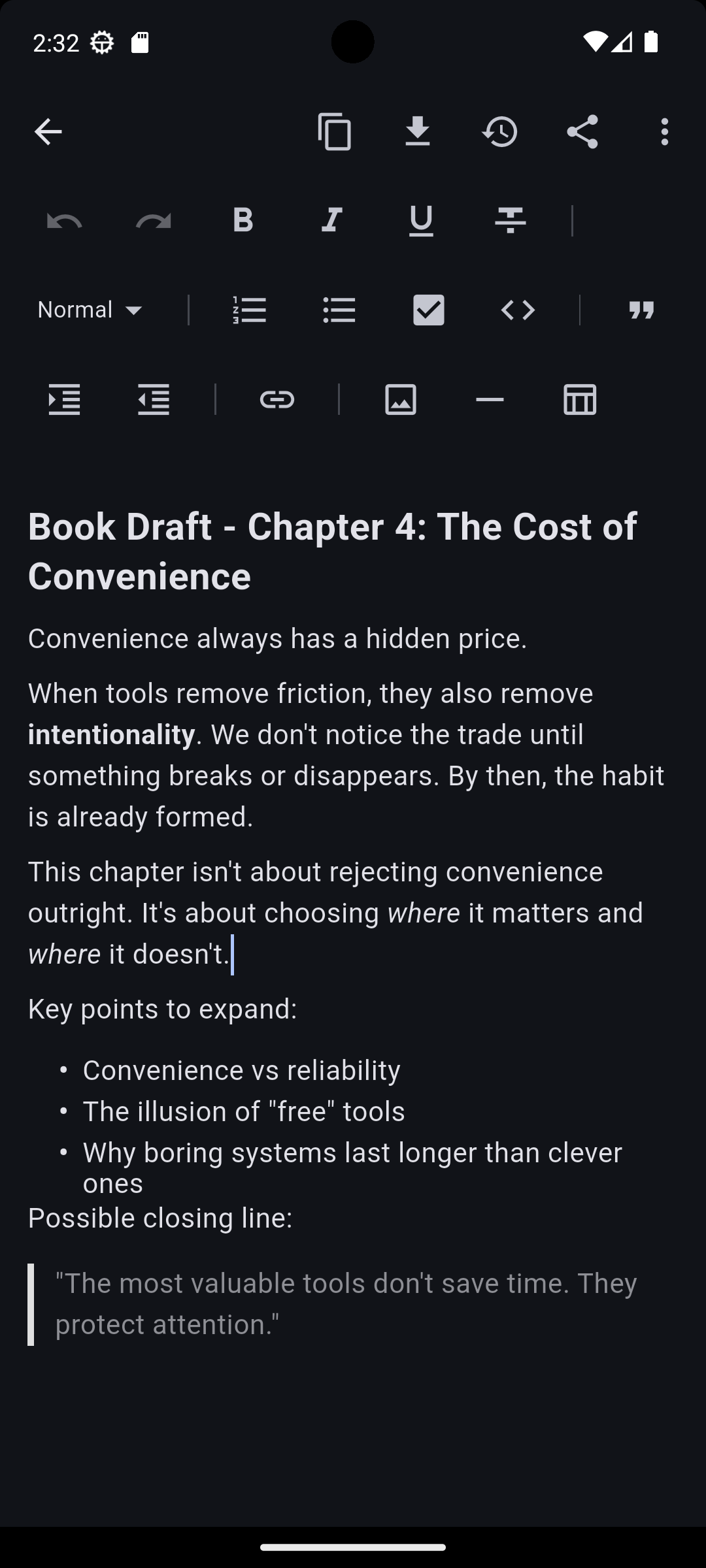
One thing I kept from Notestation was tasks. Insert a checkbox list into any note and it becomes a to-do list with its own dedicated screen. Check something off in the task list and it updates the note. Check it off in the note and it updates the task list. Simple, bidirectional, no separate task app required.
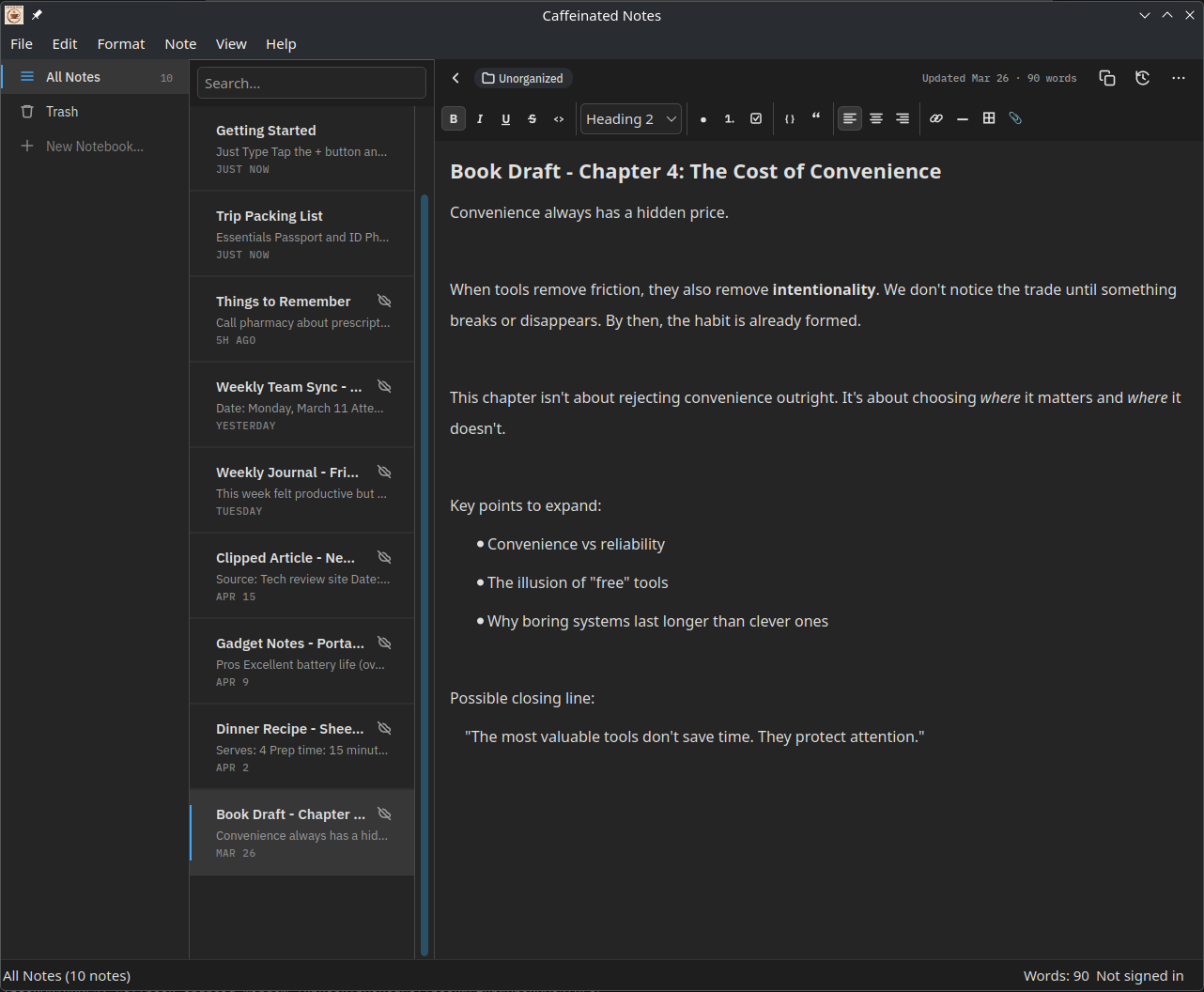
The desktop version is native Qt, same as Caffeinated Checkbook. Fast, responsive, keyboard-friendly. You can pop individual notes out into their own windows, which means you can have a note open alongside whatever you’re working on without the entire app in the way, and if you want to go even further, Ctrl+\ hides everything except the editor pane. It’s the digital equivalent of having your steno pad open next to your keyboard.
One thing Joplin had that Notes currently doesn’t is Mermaid diagram support. I used it occasionally and I’ll miss it a little. It’s on the list, just not a priority right now.
The WAT Update
My wife uses it daily. It passed.
The Google Docs Problem
For years my wife and I shared Google Docs for things like Christmas shopping lists, notes we needed to coordinate on, and her writing. Google Docs is fantastic for collaboration. It’s also completely out of your control.
At the end of last year she went to look up a story idea she’d been working on for months because she had an idea and wanted to get down. Dozens of hours of writing. It was gone. Completely gone, no trace of it anywhere in Google. No explanation, no recovery path, nothing.
That was devastating. And it permanently broke her trust in Google as a place to keep anything she cares about.
With Notes, your data lives on your device. It doesn’t live in someone else’s infrastructure subject to whatever Google decides to do with it that day. Backups are portable between the desktop and mobile apps. With a sync subscription everything is also stored in your Caffeinated account. Get a new phone, tablet, or laptop, log in, and everything pulls back down to your device including attachments.
She can share individual notes or entire notebooks with me through a multi-user subscription. We still have our shared Christmas list and her writing is safe.
Availability
Caffeinated Notes is available on iOS, Android, Windows, macOS, and Linux.





I'd love to hear about what you've built or if you've got a topic you'd like me to post about.
You can also leave a comment below.