Caffeinated Checkbook: A Notebook That Does Math

I used GnuCash religiously from around 2005 until 2011. Every transaction, every account, credit cards, the works. I was the kind of person who reconciled to the penny every month and felt vaguely anxious if I didn’t.
Then life had other plans.
How It All Fell Apart
In 2010, after two rounds of IVF and being told by a fertility specialist that we would never have children, my wife came down with what we thought was the flu. It didn’t go away. On a lark I suggested a pregnancy test. It was immediately positive. A follow-up confirmed she was at the end of her first trimester.
That was also the week of my 40th birthday, which took an immediate backseat.
When I called my parents to share the news, my father answered. Before I could say anything, he told me my mother had just been diagnosed with breast cancer. I shared the pregnancy news anyway, but the mood was, let’s just say, complicated.
Six months later our son was born healthy and perfect. I called my parents again. This time my mother answered and told me my father was in the hospital recovering from a quintuple bypass.
In August of 2011 we drove down to Roseville to visit them and introduce our son to his grandparents. We hadn’t seen them since 2002. On the drive back to Seattle, my wife and I talked at length and made the decision: if our child was going to know his grandparents, we had to move. So we started packing up our life in Seattle and moved. Less than a year after we moved back, we had a second child on the first try. The fertility doctors had been spectacularly wrong.
Somewhere in all of that, my GnuCash setup fell apart. I had a toddler, two consulting clients, and a move to plan. Tracking every transaction stopped happening. By the time we were settled in Roseville in mid-2012, the data was a mess and I never recovered it.
A Decade of Half-Measures
For the next several years I tried most of the obvious alternatives. MoneyManager EX, Actual Budget, back to GnuCash a couple of times. The pattern was always the same.
The desktop apps were fine but the mobile experience was an afterthought. Or the mobile app was decent but syncing required maintaining a fragile shared SQLite file over Dropbox. Or it was web-based and I’d forget it existed for weeks at a time. I kept my business finances in Xero and tracked personal spending mostly in my head, which works until it doesn’t.
What I actually wanted was simple: a checkbook register that worked properly on my phone and my desktop, kept everything in sync without requiring me to manage database files or remember to open a web browser, and didn’t try to connect to my bank or show me ads or run my data through some AI pipeline.
That apparently doesn’t exist. So last Thanksgiving I started building it.
What It Does
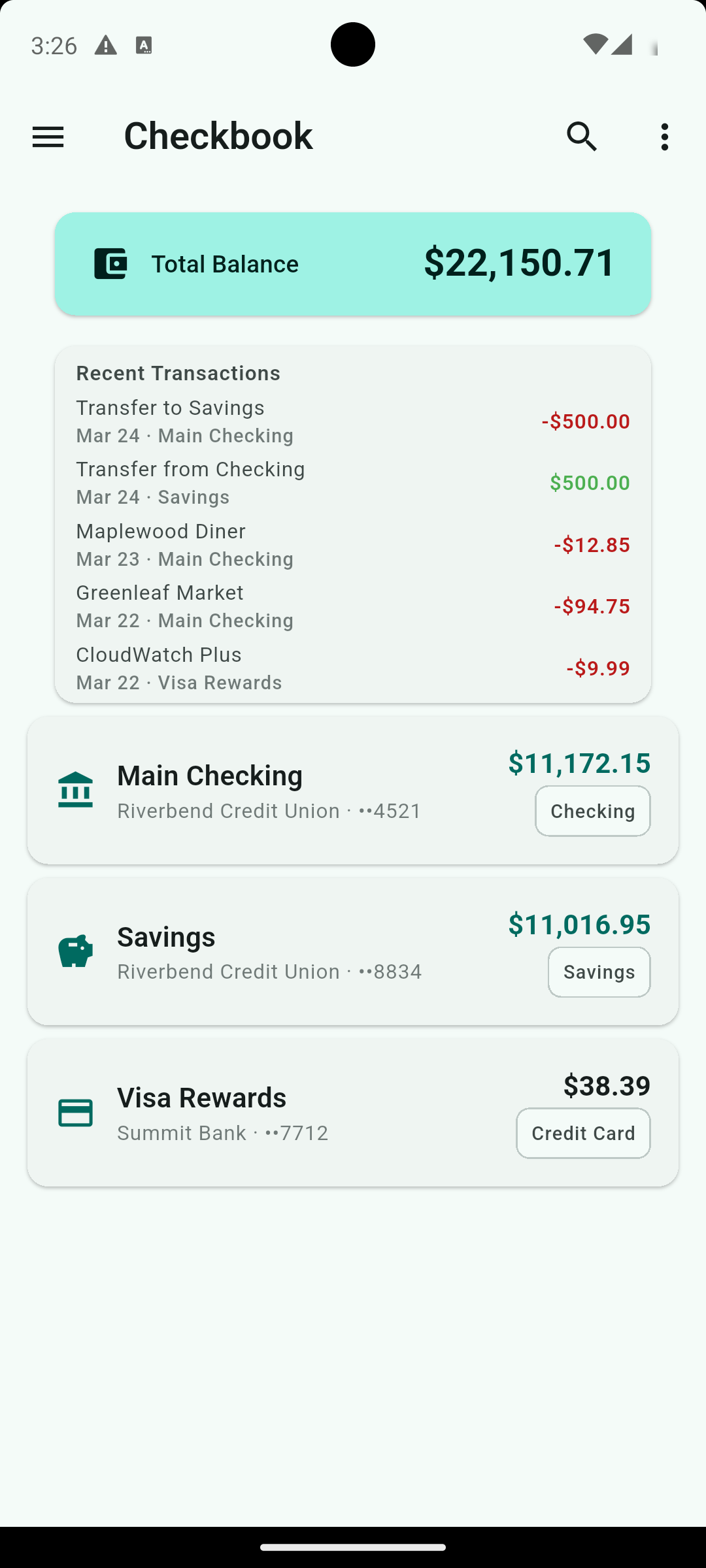
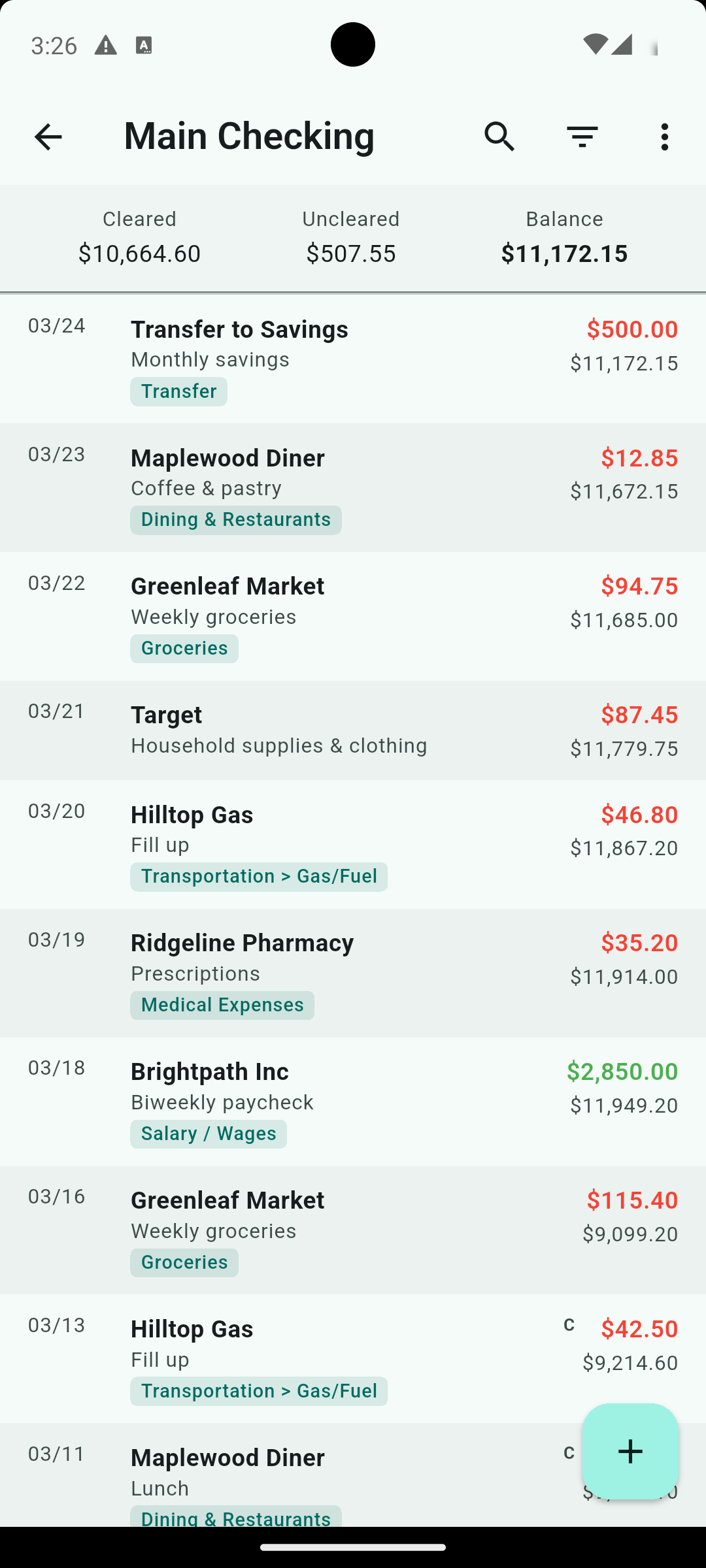
Caffeinated Checkbook is a checkbook register. It tracks transactions across as many accounts as you need: checking, savings, credit cards, cash, investments. Every transaction gets a running balance, just like a paper checkbook. It uses full double entry accounting practices. You can reconcile against your bank statement when you’re ready. It generates cash flow and income/expense reports. You can import QIF files if you’re migrating from existing software.
The mobile version is Flutter. Clean, fast, works offline, optimized for quick entry while you’re out and about.
The desktop version is a native Qt application. Keyboard shortcuts throughout. Tab between fields. Use +/- to adjust dates. Ctrl-Enter to save a transaction and move immediately to the next one. It feels like desktop finance software used to feel before everything became a web app trying to sell you a premium tier.
No bank connections. No analytics. No AI. No ads. Just a notebook that does math.
Why Qt for the Desktop
When I started building Checkbook, the obvious choice was Flutter for everything. I already had the mobile app taking shape and Flutter’s cross-platform promise is real. The same codebase running on Android, iOS, and desktop is genuinely appealing.
The problem is Flutter desktop doesn’t feel like desktop software. It feels like a mobile app that got bigger. The rendering model, the way widgets behave, the lack of native system integration. It’s fine for what it is, but it wasn’t what I wanted for a finance app where someone is going to sit down, open it, and enter fifty transactions with a keyboard. I did honestly try to keep it all in Flutter, but the desktop version just had too many small annoyances for me.
So I went back to something I know well.
I’ve been writing C and C++ for over 35 years. When I was running Blarg, my ISP, I built TACC (Total Accountability Customer Care) entirely in C++ and Qt. It was a full business operations platform: billing, provisioning, customer support, the works. I built it because nothing off the shelf did what I needed, which is a recurring theme in my life apparently. You can find it on GitHub at github.com/gottafixthat/tacc if you’re curious.
Qt and I go back a long way. Picking it up again for the Checkbook desktop felt less like learning something new and more like putting on a comfortable pair of shoes. The result is a native application that behaves exactly like a desktop application should. Fast, keyboard-driven, integrated with the system, no Electron overhead, no mobile widget toolkit pretending to be something it isn’t.
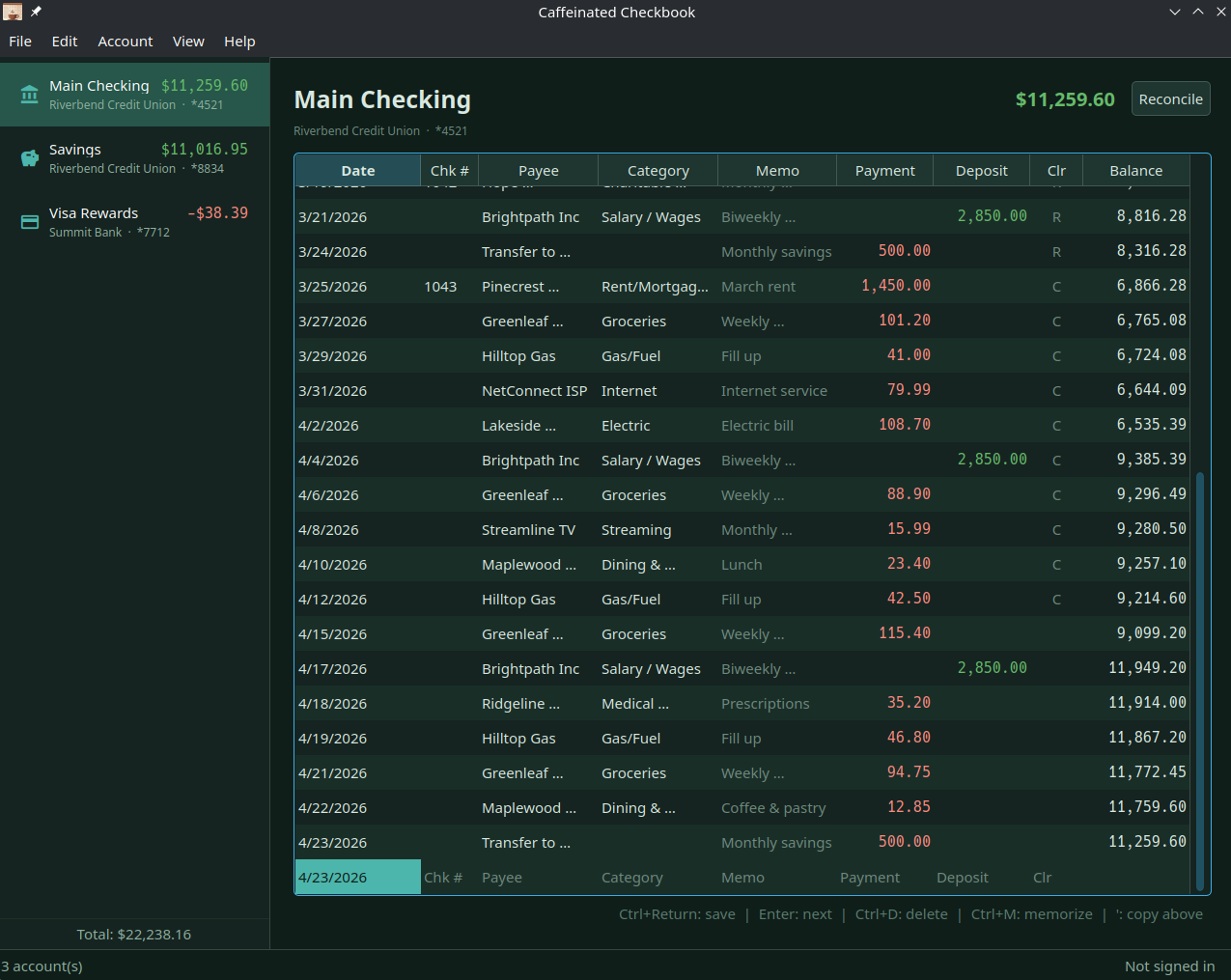
If you’ve used Quicken on DOS or Windows in the 90s and missed how fast data entry used to be, that’s what I was going for.
The Sync Story
The mobile and desktop apps use the same backup format, so you can transfer data manually between them if you want. Automatic sync across all your devices is available through a Caffeinated Account subscription. Your data lives on your devices. The subscription just keeps them talking to each other.
Availability
Caffeinated Checkbook is available on iOS, Android, Windows, macOS, and Linux.





I'd love to hear about what you've built or if you've got a topic you'd like me to post about.
You can also leave a comment below.